
You downloaded a flashlight app, or a photo filter, or a game your niece wanted on your phone for the car ride. Before it did the one thing it was for, it asked whether it could see your contacts. Then your location. Then your microphone. And you tapped Allow, Allow, Allow, because the box was sitting on top of what you were trying to do and Allow was the button that made it go away.
First, nobody gets to make you feel foolish about that. Those pop-ups are built by people whose whole job is getting a yes, and they show up at the exact second you're in the middle of something else. Tapping through isn't a character flaw. It's what a reasonable, busy person does when a stranger blocks the doorway.
But I want you to hear what actually happened in that moment, because nobody explains it. You didn't agree to terms. You handed out house keys.

What a permission really is
Think about how your auntie runs her house. Everybody is welcome at the cookout. Everybody is not welcome in her bedroom, and there's a real difference between the people who can come through the front door, the people who can go in the kitchen, and the two cousins who know where the good Tupperware lives. Nobody had to write that down. She just knows who gets what room.
Your phone works the same way. It has rooms: your contacts, your photos, your camera, your microphone, your location, your calendar. An app starts out on the porch. Every permission you grant is you opening one of those doors and saying go on in, and unlike your auntie's house, that door stays open after the party is over, until you close it yourself.
So the question a permission pop-up is really asking isn't "do you agree." It's "does this guest need to be in this room to do what you invited them for?" A map needs your location. A camera app needs the camera. A video call needs the microphone. That's a guest in the right room.
A flashlight does not need your contacts. A recipe app does not need your microphone. A coloring game does not need to know where you are. When the room doesn't match the job, that's not a technical detail — that's somebody at the cookout going through the medicine cabinet.
There's a timing trick in it, too. The honest way for an app to ask is at the moment it needs something — you tap the camera button, and then it asks for the camera. That's a guest knocking. When an app lines up four requests before you've even seen what it does, it's asking for the keys before you've decided whether you like the company.
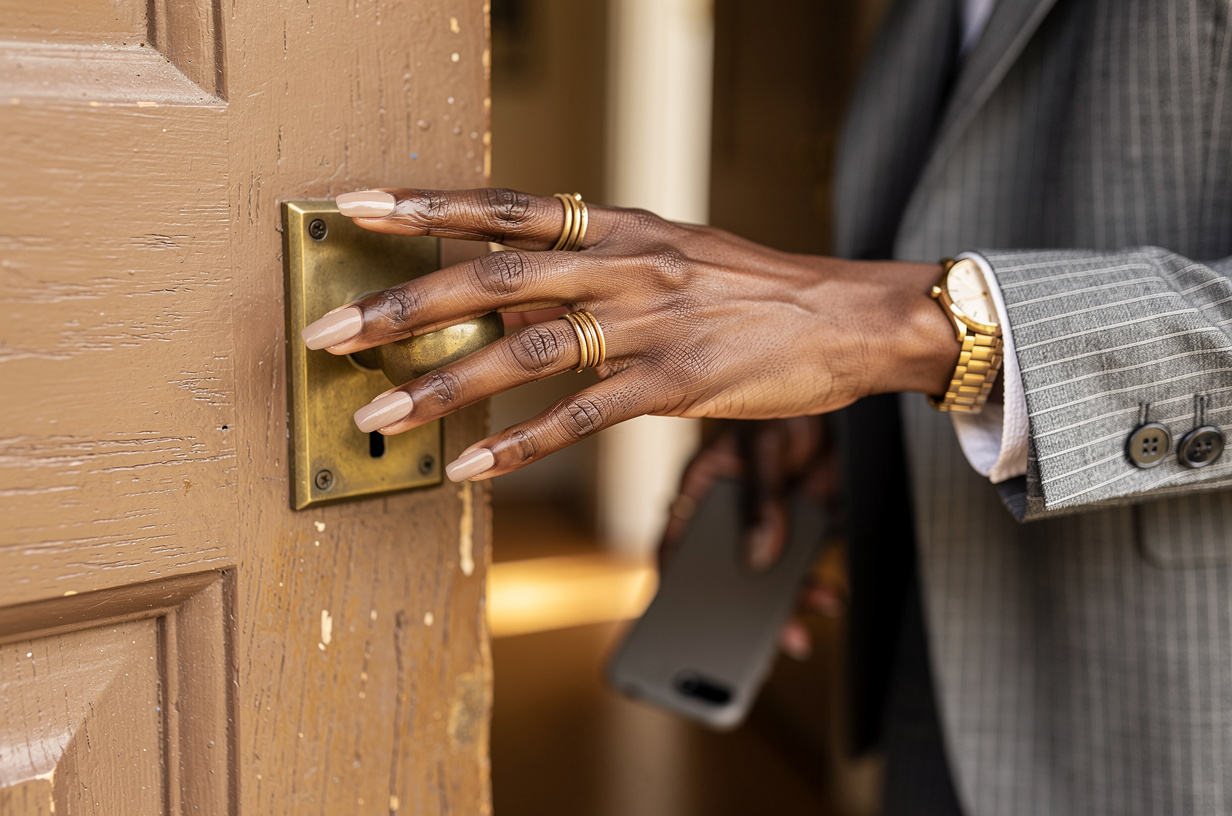
Every Allow is a door you opened. The party ended a long time ago, and most of those doors are still open.
Why they ask for more than they need
Some of it is laziness on the builder's side — it's easier to ask for everything up front than to ask for only what's needed, when it's needed. But a lot of it is business. Your contact list, your location history and your habits are worth money to somebody, and a free app has to earn its keep somehow. If you're not paying for it, it's worth asking what is.
I see this constantly when I'm helping someone go through her phone: a list of forty apps, half of them not opened since last year, and a good number of those still able to see where she is right now. Not because she decided that. Because she said yes once, in a hurry, in 2022, and nothing ever asked her again.
And here's the part I think matters most. That contact list isn't only yours. It's your mother's number, your pastor's, your doctor's, your best friend's new address. When an app takes your contacts, it's taking information about people who never got a pop-up at all. Being careful with that isn't being paranoid. It's being a good keeper of what people trusted you with.
So let me ask you the real question: if you printed out the list of every app that can currently see your location, would you recognize all of them? Would you have invited every one of them to follow you to work this morning?
How to walk the house and close some doors
You don't need to go app by app. Your phone already keeps the guest list sorted by room. In your settings there's a section called Privacy, or Privacy and Security, and inside it you'll find each room listed by name — Location, Contacts, Camera, Microphone, Photos. Tap one and it shows you every app holding that key.
Start with Location, because it's the one that follows you around. For each app, you'll usually have a few choices: never, ask next time, only while you're using the app, or always. Almost nothing needs "always." Maps and the weather can have "while using." Anything you don't recognize, or can't think of a reason for, goes to never.
Then do Contacts and Microphone, the same way. If you take something away and the app truly needed it, the app will tell you the next time you open it, and you can give it back in one tap. That's the thing nobody mentions: this is not a decision you can get wrong. Every one of these switches flips back.
Photos has gotten kinder lately. Many phones now let you share only the pictures you pick, instead of the whole library. If an app just needs one profile photo, it does not need eleven years of your camera roll, your screenshots of bank statements and that picture of your insurance card.
If the list feels long, don't try to be perfect. Three rooms, ten minutes, and you stop. I'd rather you close six doors today than plan to close all forty on some Saturday that never comes. The apps you use every day are rarely the problem. It's the ones you forgot were there.
While you're in there, delete the apps you don't recognize at all. An app you never open still holds every key you gave it, and the simplest way to take the keys back is to take the guest off the list.
The takeaway
From here on, when a pop-up asks for access, give yourself two seconds and ask one thing: does this guest need this room? If yes, open the door. If no, tap Don't Allow and watch how often the app works perfectly fine anyway.
And when an app won't budge unless you hand over something that makes no sense for what it does, believe what it's telling you about itself. There is almost always another app that does the same job and asks for less.
You do not have to understand how any of it works under the hood. You already know how to run a house. You know who gets the front room and who gets the porch, and you've known it your whole life. This is that, on a smaller screen.
It's your house. You decide who's in the kitchen. 🚪
Want a calm walk-through of what your phone and your tools are actually doing? Start here: Discover